New Features
OCR Invoice Creation (Artificial Intelligence)
Using artificial intelligence, the invoice creation function (Payables Entry) allows you to attach the invoice PDF or image to automatically detect the required data, without any prior configuration.
This is our first AI-powered feature. It will be included in our upcoming AI package. Bluebee's AI package will be an AI layer integrated into Bluebee ERP, and also compatible with Varnet and MXP software. More details will be shared in the coming months.
This feature is available free of charge for a limited time to our Bluebee Cloud customers.
How does it work?
- Upload the invoice.
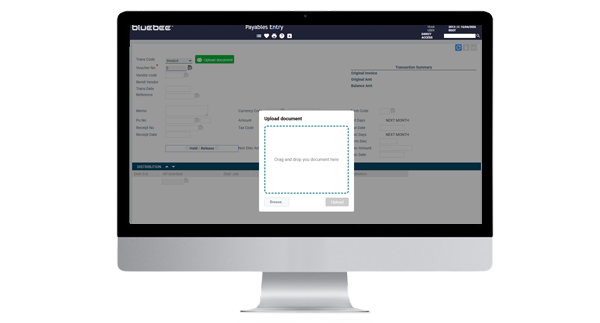
- Verify that the information collected by the agent is accurate.
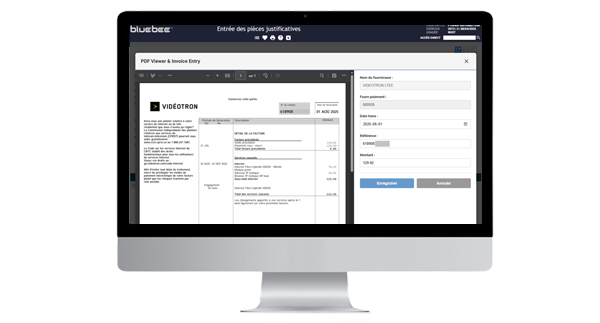
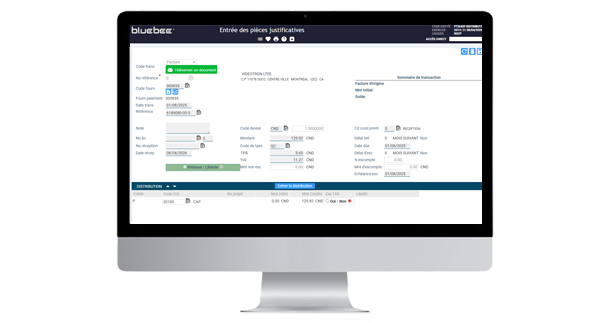
- Complete the transaction. Your file will be attached to an automatically generated note.
Bank Reconciliation
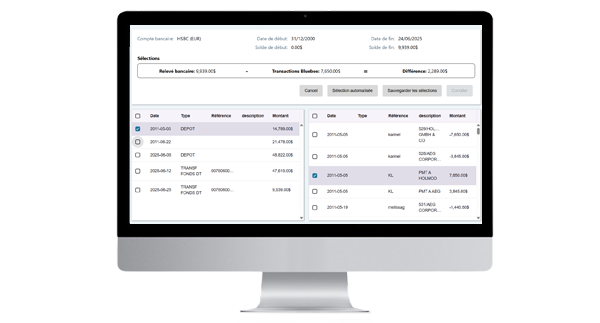
Function to facilitate bank reconciliation in two different ways: manual validation or via import of the bank statement.
Manual Validation
- View, download, or print your bank statement online to compare it to the transactions entered in the corresponding Bluebee bank account.
- Check all the Bluebee transactions that match your bank statement to reveal any missing transactions.
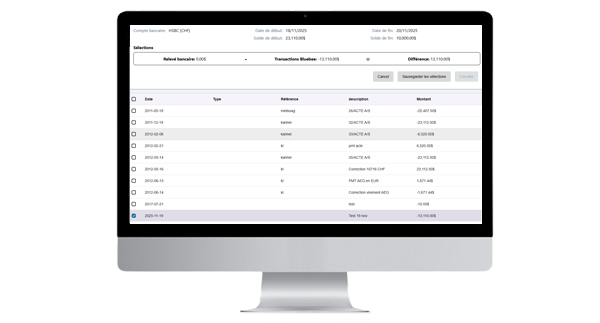
- Enter the missing transactions and then select them on the screen. Your statement total should now match the total of the Bluebee transactions. You can confirm the reconciliation for this account.
Import of the Bank Statement
- Download your bank statement and import it into Bluebee.
- Your Bluebee transactions and the transactions on your statement will then appear side-by-side. Tap the auto-select button to match transactions with the same amount and date. Then simply select any exceptions.
- Enter the missing transactions and then select them. The total on your statement should now match the total of your Bluebee transactions. You can then confirm the reconciliation for this account.
Other New Features
API Transaction Tracking
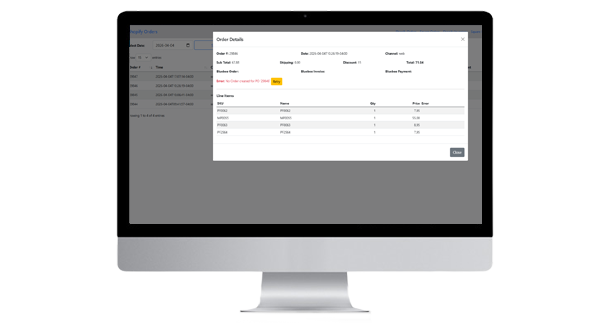
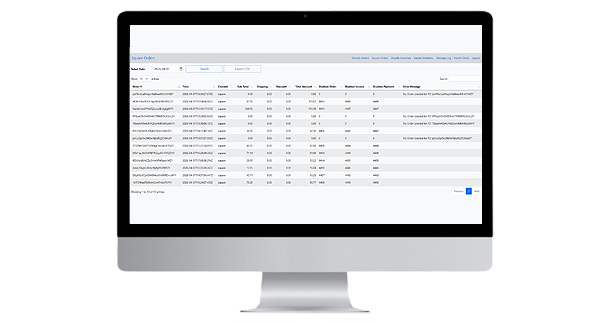
This feature displays transactions exchanged with another system via the Bluebee APIs. The tracking function provides greater visibility and also allows you to resubmit a document that wasn't transferred correctly. For example, it lets you see the exchange status of orders originating from your Shopify or Square system connected to Bluebee.
Create a Note Directly by Dragging and Dropping a File
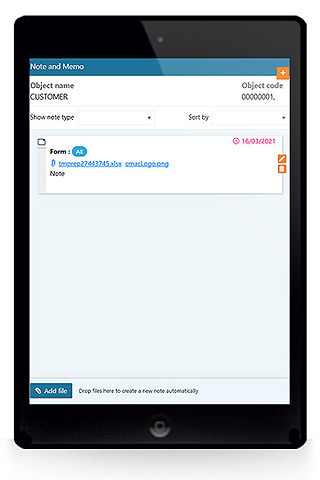
In the notes panel, you can now drag and drop a file directly. The note with the attached file will then be created instantly. This is an even faster way to attach your files to your Bluebee data.
Bug Fixes and Minor Additions
General
- Fixed the display of accented characters in the old calendar component, which was still present in some functions.
- Fixed a minor issue when sending Python HTML emails without an attachment.
- Fixed the display for recurring tasks, which were not translating into the user's language.
Financial
- Modification to allow the creation of journal entries in all years following the current year, which are created in the GL calendar.
Inventory
- Added validations when creating an item.
Order, Pricing and Invoicing
- Adjusted the tax calculation so that the tax is applied to the net amount after discounting.
- Fixed an issue related to canceling invoices with FIFO products.
- Fixed an issue with rounding discounts when invoicing an order.
- Added default thousands separators to the Jasper invoice form.
- Fixed an issue where modifying the discount after entering the lines did not recalculate the discount for each line in the dynamic order entry function.
Procurement
- Added validation for the receipt date in the Receipt Entry function.
- Fixed an issue where rounding differed between the purchase order and the receipt.
Bill of Materials, Production and Planning
- Fixed a case that caused a calculation error related to missing quantities in the Work Order Entry function.
- Fixed a bug where the expiration and supplier series fields lost information when selected and then deselected in the Completed Work Order Entry function.
- Fixed an issue with modifying instructions of Bills of Materials.
- Fixed a save error in the Work Order Entry function.
- Fixed an issue related to reserving serialized materials from the same work order in multiple locations.
- Fixed a bug where the attached file was not displayed correctly during production quality control.
- Fixed a display bug with a button in a planning module driver.
- Fixed an issue with exporting employee lists to Excel.