
Patch Notes
Release Notes — April 2026
OCR Invoice Creation (AI), Bank Reconciliation, API Transaction Tracking and more.
Bluebee API & WEGOTRADE integration, new Notes and Tasks module, configurable Notifications, Quality Control.

The Bluebee API facilitates the connection between Bluebee and external systems. It is now even easier to extend business process automation beyond Bluebee's functionality. The Bluebee API uses recognized market standards for data synchronization between Bluebee and your other systems.
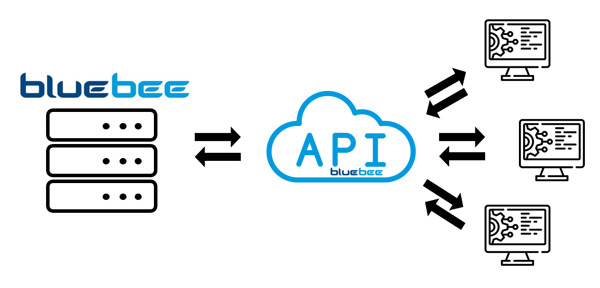
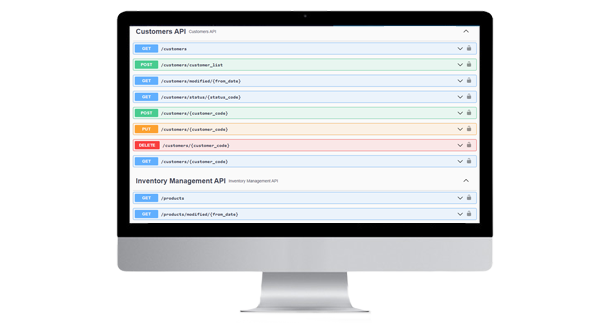
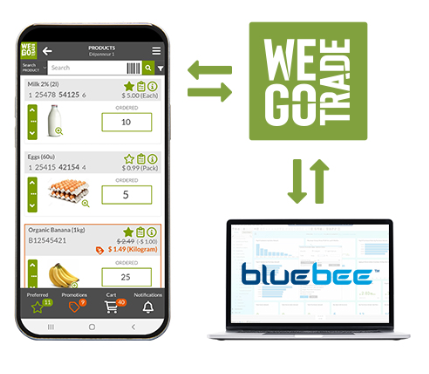
One of the first standard connections made via the Bluebee API was made with our new partner WEGOTRADE. WEGOTRADE is a local company offering a B2B portal perfectly adapted to SMEs. The portal allows, among other things, WEGOTRADE customers to offer a product catalog with shopping cart to their customers. They can also view and pay their bills on the platform. Orders and payments entered in WEGOTRADE are automatically created in Bluebee. Do not hesitate to contact your Bluebee representative for more details on the WEGOTRADE offer as well as its integration with Bluebee.
Notes and tasks are added to existing memos to facilitate collaboration between users and the user-friendliness of Bluebee. The notes function allows you to attach text or documents to all types of records.
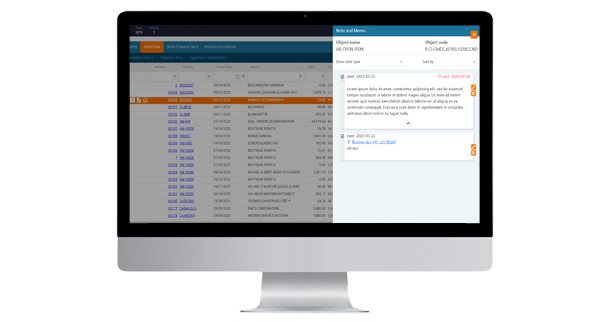
As with notes, it is now possible to attach tasks to all types of records. Tasks can be assigned to other users, be private or public and be one-time or recurring.
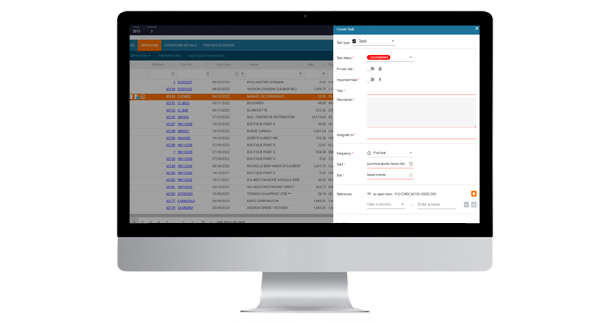
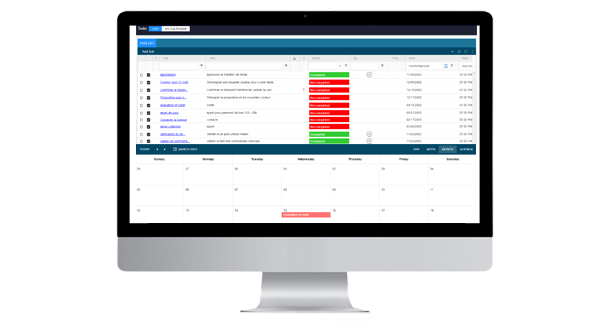
A task can, for example, serve as a follow-up reminder, an appointment, or even an approval request. Each user will be able to consult their task list to prioritize their upcoming work. The task list is available in list or calendar mode.
The new Bluebee notifications help shine a light on the changes you want to see! It is therefore now possible to configure notifications for a multitude of events inside Bluebee. Users will be able to subscribe to them easily according to their needs.
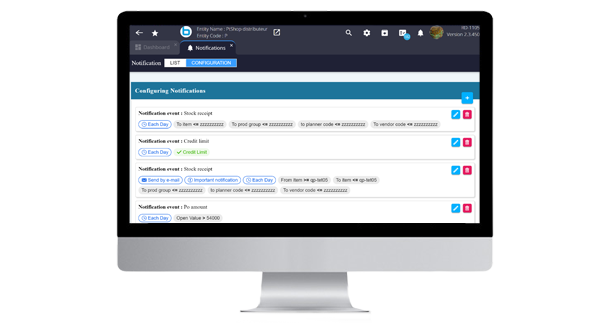
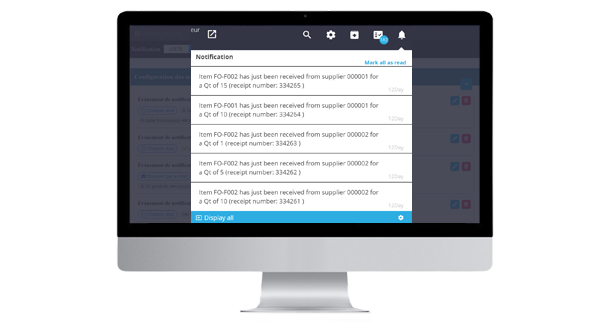
Once configured, let the notifications engine work for you and notify you of any important changes.
The quality control module allows Bluebee users to record the results of quality tests on selected received or manufactured items. For the reception process, it is therefore possible to identify the products or suppliers targeted by quality controls and attach a simple control form to them. This form will detail the quality tests to be carried out and will allow the user to enter the result.
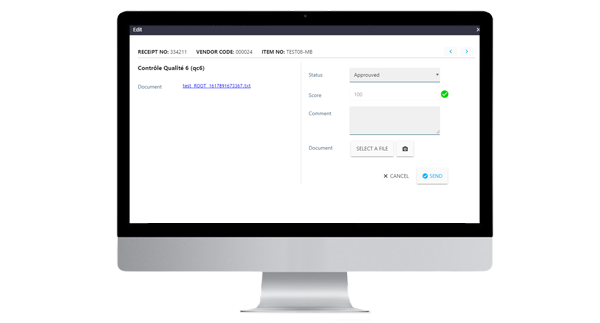
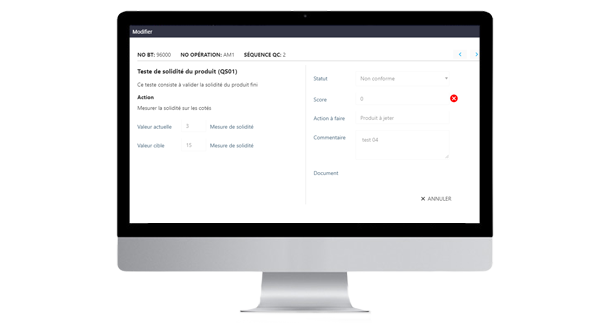
In the same way, the controls to be carried out in production are also configurable. Quality control tasks will then have to be completed by users during production operations that require it.
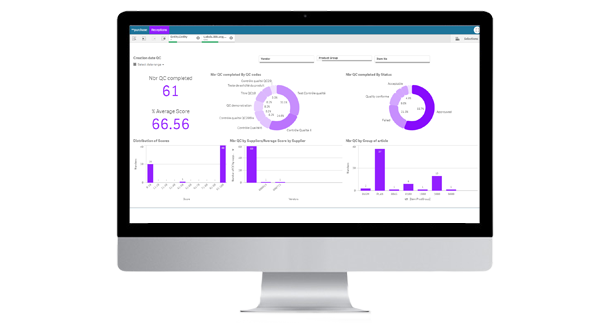
The results of the quality checks will then be recorded in the system and can be easily analyzed thanks to the integrated business intelligence software Qlik Sense. It will then be easy for you to precisely assess the reliability of your suppliers or to optimize your production stages thanks to the data collected.
Technological improvement of the function of sending e-mail This allows for more extensive integration with various email systems and enhanced security.
Compatibility with Progress Application Server for OE The Bluebee app is now 100% compatible with Progress' new web server technologies. It also remains compatible with the previous version (AppServer Classic).
Adding contacts for sending documents and forms automatically We have added the possibility of adding contacts who will receive certain documents such as order confirmations, invoices and others by email when these are produced by the system! It is also possible to manually select a group of documents in Drives and then send them directly to their respective contacts.
New Qlik sheets for CRM Two new Qlik sheets are now available to track your current opportunities as well as analyze their progress in the CRM module.
General
Orders
Customer relationship management
Inventory
Tools
Settings
Payables
Receivables
Dashboard
OCR Invoice Creation (AI), Bank Reconciliation, API Transaction Tracking and more.
Electronic Funds Transfers, Shopify integration, and numerous bug fixes.
Two-factor authentication, field changes via Excel extraction and import, and bug fixes.
Let's talk about your business processes and see how Bluebee can help — from application support all the way to AI adoption.